炫彩光辉头像效果实现指南
🎨 效果演示
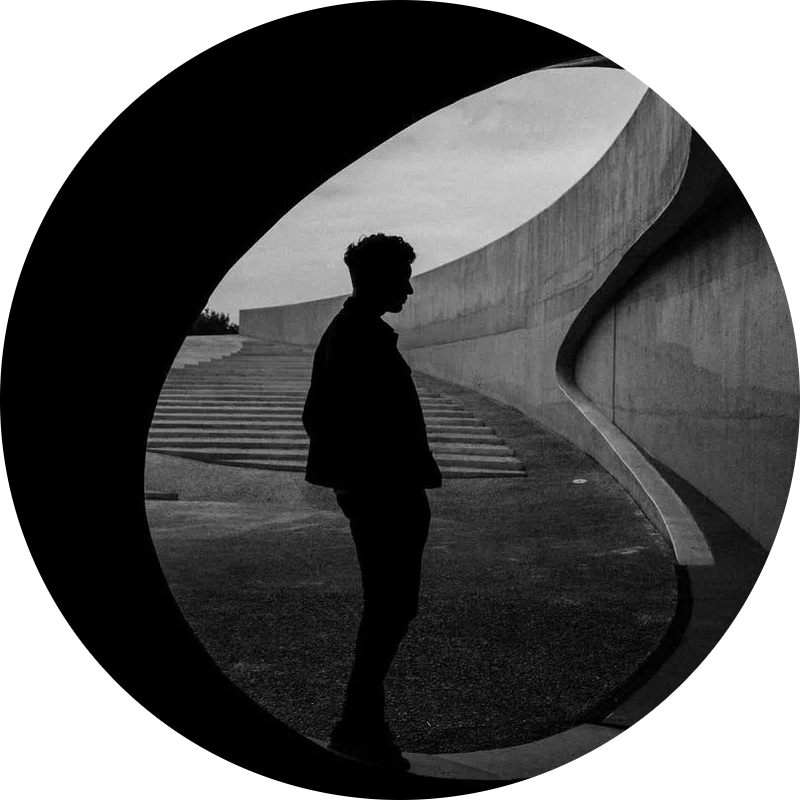
下面是实际的光辉效果展示,鼠标悬停可以看到 3D 翻转效果:
效果概览
本文介绍如何实现一个炫彩光辉头像效果,具有以下特性:
- 🌈 彩虹渐变动画 - 8 秒循环的平滑彩虹色渐变
- ✨ 模糊光辉 - 高斯模糊滤镜营造光晕效果
- 🎭 3D 翻转 - 鼠标悬停时的流畅 3D 翻转动画
- 🌙 深色模式适配 - 自动调整光辉强度
- 📱 响应式设计 - 完美适配各种屏幕尺寸
- 🔧 Safari 兼容 - 特殊优化确保在 Safari 上正常显示
HTML 结构
| <div class="flip-glow-ultimate">
<!-- 光辉背景层 -->
<div class="flip-glow-ultimate-glow"></div>
<!-- 图片容器 -->
<div class="flip-glow-ultimate-imgs">
<img src="back-image.png" alt="Back Image" class="flip-glow-ultimate-back">
<img src="front-image.png" alt="Front Image" class="flip-glow-ultimate-front">
</div>
</div>
|
CSS 实现
1. 彩虹渐变动画
使用 CSS 变量和关键帧动画实现 80 个步骤的平滑彩虹色变化:
| @keyframes rainbow {
0% { --rainbow-prev: #009ff7; --rainbow-next: #c76dd1; }
1.25% { --rainbow-prev: #009dfa; --rainbow-next: #cf69c9; }
/* ... 更多中间步骤 ... */
100% { --rainbow-prev: #009ff7; --rainbow-next: #c76dd1; }
}
|
关键点:
- 使用 CSS 自定义属性(CSS Variables)存储颜色值
- 80 个关键帧步骤确保渐变平滑
- 完整的色谱循环:蓝 → 紫 → 红 → 橙 → 黄 → 绿 → 青 → 蓝
2. 光辉背景层
 1
 2
 3
 4
 5
 6
 7
 8
 9
10
11
12
13
14
15
16
17
18
19
20
21
22
23
24
25
26
27
28 | .flip-glow-ultimate-glow {
position: absolute;
top: 50%;
left: 50%;
transform: translate(-50%, -50%);
width: 260px;
height: 260px;
border-radius: 50%;
pointer-events: none;
z-index: 0;
/* 渐变设置 */
background: linear-gradient(-45deg, var(--rainbow-prev) 30%, var(--rainbow-next));
/* 模糊效果 */
filter: blur(60px);
-webkit-filter: blur(60px); /* Safari 兼容 */
/* 动画 */
animation: rainbow 8s linear infinite;
/* 性能优化 */
will-change: filter, opacity;
backface-visibility: hidden;
-webkit-backface-visibility: hidden;
opacity: 0.85;
}
|
关键技术点:
| 属性 |
作用 |
说明 |
linear-gradient(-45deg, ...) |
渐变方向 |
-45° 角度创建动态感 |
filter: blur(60px) |
高斯模糊 |
创建柔和的光晕效果 |
animation: rainbow 8s |
动画循环 |
8 秒完成一个完整的色谱循环 |
will-change |
性能优化 |
告知浏览器即将改变的属性 |
backface-visibility |
防止闪烁 |
隐藏元素背面,提升性能 |
3. 图片容器和 3D 翻转
1
2
3
4
5
6
7
8
9
10
11
12
13
14
15
16
17
18
19
20
21
22
23
24
25
26
27
28
29
30
31
32
33
34
35
36
37
38
39
40
41
42
43
44
45
46
47
48
49
50
51 | .flip-glow-ultimate-imgs {
position: relative;
width: 280px;
height: 280px;
perspective: 1200px; /* 3D 透视 */
z-index: 2;
}
.flip-glow-ultimate-imgs img {
position: absolute;
top: 0;
left: 0;
width: 100%;
height: 100%;
object-fit: cover;
border-radius: 50%;
border: 4px solid #fff;
box-shadow: 0 8px 24px rgba(14, 30, 37, 0.15),
0 0 0 1px rgba(255, 255, 255, 0.2);
/* 3D 翻转 */
backface-visibility: hidden;
transition: transform 1.2s cubic-bezier(.4,2,.6,1),
box-shadow 0.3s ease;
background: #fff;
}
/* 背面图片 - 初始状态 */
.flip-glow-ultimate-imgs img.flip-glow-ultimate-back {
z-index: 1;
transform: rotateY(0deg);
}
/* 正面图片 - 初始状态(反向) */
.flip-glow-ultimate-imgs img.flip-glow-ultimate-front {
z-index: 0;
transform: rotateY(180deg);
}
/* 悬停时翻转 */
.flip-glow-ultimate-imgs:hover img.flip-glow-ultimate-back {
transform: rotateY(180deg);
z-index: 2;
box-shadow: 0 12px 32px rgba(14, 30, 37, 0.25);
}
.flip-glow-ultimate-imgs:hover img.flip-glow-ultimate-front {
transform: rotateY(0deg);
z-index: 3;
box-shadow: 0 12px 32px rgba(14, 30, 37, 0.25);
}
|
3D 翻转原理:
- 使用
perspective 创建 3D 空间
rotateY(180deg) 绕 Y 轴旋转 180°- 通过
z-index 控制图层显示顺序
cubic-bezier(.4,2,.6,1) 创建弹性动画效果
深色模式适配
| @media (prefers-color-scheme: dark) {
.flip-glow-ultimate-glow {
filter: blur(60px);
-webkit-filter: blur(60px);
opacity: 0.7; /* 降低不透明度避免过亮 */
}
}
|
Safari 兼容性修复
Safari 对高模糊值的处理与其他浏览器不同,需要特殊优化:
| /* Safari 特定修复 - 减少模糊值以改善性能 */
@supports (-webkit-appearance: none) {
.flip-glow-ultimate-glow {
filter: blur(45px);
-webkit-filter: blur(45px);
opacity: 0.9; /* 提高不透明度补偿模糊值降低 */
}
}
|
为什么需要这个修复:
- Safari 对
blur(60px) 的渲染性能较差
- 降低到
blur(45px) 可以显著改善性能
- 提高
opacity 到 0.9 补偿视觉效果
响应式设计
1
2
3
4
5
6
7
8
9
10
11
12
13
14
15
16
17
18
19
20
21
22
23
24
25 | /* 平板设备 */
@media (max-width: 1100px) {
.flip-glow-ultimate,
.flip-glow-ultimate-imgs {
width: 200px;
height: 200px;
}
.flip-glow-ultimate-glow {
width: 260px;
height: 260px;
}
}
/* 手机设备 */
@media (max-width: 700px) {
.flip-glow-ultimate,
.flip-glow-ultimate-imgs {
width: 220px;
height: 220px;
}
.flip-glow-ultimate-glow {
width: 220px;
height: 220px;
}
}
|
性能优化建议
1. 使用 will-change
| will-change: filter, opacity;
|
2. 启用硬件加速
| backface-visibility: hidden;
-webkit-backface-visibility: hidden;
transform: translate3d(0, 0, 0);
|
3. 图片优化
- 使用 WebP 格式的图片
- 合理设置图片尺寸(280x280px)
- 使用
loading="eager" 和 fetchpriority="high" 预加载
| <img src="avatar.png"
alt="Avatar"
class="flip-glow-ultimate-front"
loading="eager"
fetchpriority="high"
width="280"
height="280">
|
4. 移动端优化
| @media (max-width: 768px) {
.flip-glow-ultimate-glow {
animation: none; /* 禁用动画 */
opacity: 0.3; /* 降低不透明度 */
}
}
|
完整示例
 1
 2
 3
 4
 5
 6
 7
 8
 9
10
11
12
13
14
15
16
17
18
19
20
21
22
23
24
25
26
27
28
29
30
31
32
33
34
35
36
37
38
39
40
41
42
43
44
45
46
47
48
49
50
51
52
53
54
55
56
57
58
59
60
61
62
63
64
65
66
67
68
69
70
71
72
73
74
75
76
77
78
79
80
81
82
83
84
85
86
87
88
89
90
91
92
93
94
95
96
97
98
99
100
101
102
103
104
105
106
107
108
109
110
111
112
113
114
115
116
117
118
119
120
121
122
123
124
125
126
127
128
129
130
131
132
133
134
135
136
137
138
139
140
141
142
143
144
145
146
147
148
149
150
151
152
153
154
155
156
157
158
159
160
161
162
163
164
165
166
167
168
169
170
171
172
173
174
175
176
177
178
179
180
181
182
183
184
185
186
187
188
189
190
191
192
193
194
195
196
197
198
199
200
201
202
203
204
205
206
207
208
209
210
211
212
213
214
215
216
217
218
219
220
221
222
223
224
225
226
227
228
229
230
231
232
233
234
235
236
237
238
239
240
241
242
243
244
245
246
247
248
249
250
251
252
253
254
255
256
257
258
259
260
261
262
263
264
265
266
267
268
269
270
271
272
273
274
275
276
277
278
279
280
281
282
283
284 | <!DOCTYPE html>
<html lang="zh-CN">
<head>
<meta charset="UTF-8">
<meta name="viewport" content="width=device-width, initial-scale=1.0">
<title>炫彩光辉头像效果</title>
<style>
* {
margin: 0;
padding: 0;
box-sizing: border-box;
}
body {
display: flex;
justify-content: center;
align-items: center;
min-height: 100vh;
background: linear-gradient(135deg, #667eea 0%, #764ba2 100%);
font-family: -apple-system, BlinkMacSystemFont, 'Segoe UI', Roboto, sans-serif;
}
.container {
text-align: center;
}
h1 {
color: #fff;
margin-bottom: 40px;
font-size: 2.5rem;
text-shadow: 0 2px 10px rgba(0, 0, 0, 0.2);
}
p {
color: rgba(255, 255, 255, 0.9);
margin-bottom: 30px;
font-size: 1.1rem;
}
/* 彩虹渐变动画 - 80个关键帧步骤 */
@keyframes rainbow {
0% { --rainbow-prev: #009ff7; --rainbow-next: #c76dd1; }
1.25% { --rainbow-prev: #009dfa; --rainbow-next: #cf69c9; }
2.5% { --rainbow-prev: #009bfc; --rainbow-next: #d566c2; }
3.75% { --rainbow-prev: #0098fd; --rainbow-next: #dc63ba; }
5% { --rainbow-prev: #0096fd; --rainbow-next: #e160b3; }
6.25% { --rainbow-prev: #0093fd; --rainbow-next: #e65eab; }
7.5% { --rainbow-prev: #2e90fc; --rainbow-next: #e95ca2; }
8.75% { --rainbow-prev: #4d8dfa; --rainbow-next: #ed5a9a; }
10% { --rainbow-prev: #638af8; --rainbow-next: #ef5992; }
11.25% { --rainbow-prev: #7587f5; --rainbow-next: #f15989; }
12.5% { --rainbow-prev: #8583f1; --rainbow-next: #f25981; }
13.75% { --rainbow-prev: #9280ed; --rainbow-next: #f25a79; }
15% { --rainbow-prev: #9f7ce9; --rainbow-next: #f25c71; }
16.25% { --rainbow-prev: #aa78e3; --rainbow-next: #f15e69; }
17.5% { --rainbow-prev: #b574dd; --rainbow-next: #ef6061; }
18.75% { --rainbow-prev: #be71d7; --rainbow-next: #ed635a; }
20% { --rainbow-prev: #c76dd1; --rainbow-next: #eb6552; }
21.25% { --rainbow-prev: #cf69c9; --rainbow-next: #e8694b; }
22.5% { --rainbow-prev: #d566c2; --rainbow-next: #e46c44; }
23.75% { --rainbow-prev: #dc63ba; --rainbow-next: #e06f3d; }
25% { --rainbow-prev: #e160b3; --rainbow-next: #db7336; }
26.25% { --rainbow-prev: #e65eab; --rainbow-next: #d77630; }
27.5% { --rainbow-prev: #e95ca2; --rainbow-next: #d17a2a; }
28.75% { --rainbow-prev: #ed5a9a; --rainbow-next: #cc7d24; }
30% { --rainbow-prev: #ef5992; --rainbow-next: #c6811e; }
31.25% { --rainbow-prev: #f15989; --rainbow-next: #bf8418; }
32.5% { --rainbow-prev: #f25981; --rainbow-next: #b98713; }
33.75% { --rainbow-prev: #f25a79; --rainbow-next: #b28a0f; }
35% { --rainbow-prev: #f25c71; --rainbow-next: #ab8d0c; }
36.25% { --rainbow-prev: #f15e69; --rainbow-next: #a3900b; }
37.5% { --rainbow-prev: #ef6061; --rainbow-next: #9c920d; }
38.75% { --rainbow-prev: #ed635a; --rainbow-next: #949510; }
40% { --rainbow-prev: #eb6552; --rainbow-next: #8b9715; }
41.25% { --rainbow-prev: #e8694b; --rainbow-next: #83991b; }
42.5% { --rainbow-prev: #e46c44; --rainbow-next: #7a9b21; }
43.75% { --rainbow-prev: #e06f3d; --rainbow-next: #719d27; }
45% { --rainbow-prev: #db7336; --rainbow-next: #679e2e; }
46.25% { --rainbow-prev: #d77630; --rainbow-next: #5da035; }
47.5% { --rainbow-prev: #d17a2a; --rainbow-next: #51a13c; }
48.75% { --rainbow-prev: #cc7d24; --rainbow-next: #44a244; }
50% { --rainbow-prev: #c6811e; --rainbow-next: #34a44b; }
51.25% { --rainbow-prev: #bf8418; --rainbow-next: #1ba553; }
52.5% { --rainbow-prev: #b98713; --rainbow-next: #00a65b; }
53.75% { --rainbow-prev: #b28a0f; --rainbow-next: #00a663; }
55% { --rainbow-prev: #ab8d0c; --rainbow-next: #00a76c; }
56.25% { --rainbow-prev: #a3900b; --rainbow-next: #00a874; }
57.5% { --rainbow-prev: #9c920d; --rainbow-next: #00a87d; }
58.75% { --rainbow-prev: #949510; --rainbow-next: #00a985; }
60% { --rainbow-prev: #8b9715; --rainbow-next: #00a98e; }
61.25% { --rainbow-prev: #83991b; --rainbow-next: #00a996; }
62.5% { --rainbow-prev: #7a9b21; --rainbow-next: #00a99f; }
63.75% { --rainbow-prev: #719d27; --rainbow-next: #00a9a7; }
65% { --rainbow-prev: #679e2e; --rainbow-next: #00a9b0; }
66.25% { --rainbow-prev: #5da035; --rainbow-next: #00a9b8; }
67.5% { --rainbow-prev: #51a13c; --rainbow-next: #00a9c0; }
68.75% { --rainbow-prev: #44a244; --rainbow-next: #00a8c7; }
70% { --rainbow-prev: #34a44b; --rainbow-next: #00a8cf; }
71.25% { --rainbow-prev: #1ba553; --rainbow-next: #00a7d5; }
72.5% { --rainbow-prev: #00a65b; --rainbow-next: #00a6dc; }
73.75% { --rainbow-prev: #00a663; --rainbow-next: #00a6e2; }
75% { --rainbow-prev: #00a76c; --rainbow-next: #00a4e7; }
76.25% { --rainbow-prev: #00a874; --rainbow-next: #00a3ec; }
77.5% { --rainbow-prev: #00a87d; --rainbow-next: #00a2f1; }
78.75% { --rainbow-prev: #00a985; --rainbow-next: #00a0f4; }
80% { --rainbow-prev: #00a98e; --rainbow-next: #009ff7; }
81.25% { --rainbow-prev: #00a996; --rainbow-next: #009dfa; }
82.5% { --rainbow-prev: #00a99f; --rainbow-next: #009bfc; }
83.75% { --rainbow-prev: #00a9a7; --rainbow-next: #0098fd; }
85% { --rainbow-prev: #00a9b0; --rainbow-next: #0096fd; }
86.25% { --rainbow-prev: #00a9b8; --rainbow-next: #0093fd; }
87.5% { --rainbow-prev: #00a9c0; --rainbow-next: #2e90fc; }
88.75% { --rainbow-prev: #00a8c7; --rainbow-next: #4d8dfa; }
90% { --rainbow-prev: #00a8cf; --rainbow-next: #638af8; }
91.25% { --rainbow-prev: #00a7d5; --rainbow-next: #7587f5; }
92.5% { --rainbow-prev: #00a6dc; --rainbow-next: #8583f1; }
93.75% { --rainbow-prev: #00a6e2; --rainbow-next: #9280ed; }
95% { --rainbow-prev: #00a4e7; --rainbow-next: #9f7ce9; }
96.25% { --rainbow-prev: #00a3ec; --rainbow-next: #aa78e3; }
97.5% { --rainbow-prev: #00a2f1; --rainbow-next: #b574dd; }
98.75% { --rainbow-prev: #00a0f4; --rainbow-next: #be71d7; }
100% { --rainbow-prev: #009ff7; --rainbow-next: #c76dd1; }
}
/* 主容器 */
.flip-glow-ultimate {
position: relative;
width: 280px;
height: 280px;
margin: 0 auto;
display: flex;
align-items: center;
justify-content: center;
}
/* 光辉背景层 */
.flip-glow-ultimate-glow {
position: absolute;
top: 50%;
left: 50%;
transform: translate(-50%, -50%);
width: 260px;
height: 260px;
border-radius: 50%;
pointer-events: none;
z-index: 0;
--rainbow-prev: #009ff7;
--rainbow-next: #c76dd1;
background: linear-gradient(-45deg, var(--rainbow-prev) 30%, var(--rainbow-next));
filter: blur(60px);
-webkit-filter: blur(60px);
opacity: 0.85;
animation: rainbow 8s linear infinite;
will-change: filter, opacity;
backface-visibility: hidden;
-webkit-backface-visibility: hidden;
}
/* 图片容器 */
.flip-glow-ultimate-imgs {
position: relative;
width: 280px;
height: 280px;
perspective: 1200px;
z-index: 2;
}
/* 图片样式 */
.flip-glow-ultimate-imgs img {
position: absolute;
top: 0;
left: 0;
width: 100%;
height: 100%;
object-fit: cover;
border-radius: 50%;
border: 4px solid #fff;
box-shadow: 0 8px 24px rgba(14, 30, 37, 0.15),
0 0 0 1px rgba(255, 255, 255, 0.2);
backface-visibility: hidden;
transition: transform 1.2s cubic-bezier(.4,2,.6,1),
box-shadow 0.3s ease;
background: #fff;
}
/* 背面图片 - 初始状态 */
.flip-glow-ultimate-imgs img.flip-glow-ultimate-back {
z-index: 1;
transform: rotateY(0deg);
}
/* 正面图片 - 初始状态(反向) */
.flip-glow-ultimate-imgs img.flip-glow-ultimate-front {
z-index: 0;
transform: rotateY(180deg);
}
/* 悬停时翻转 - 背面图片 */
.flip-glow-ultimate-imgs:hover img.flip-glow-ultimate-back {
transform: rotateY(180deg);
z-index: 2;
box-shadow: 0 12px 32px rgba(14, 30, 37, 0.25);
}
/* 悬停时翻转 - 正面图片 */
.flip-glow-ultimate-imgs:hover img.flip-glow-ultimate-front {
transform: rotateY(0deg);
z-index: 3;
box-shadow: 0 12px 32px rgba(14, 30, 37, 0.25);
}
/* Safari 特定修复 */
@supports (-webkit-appearance: none) {
.flip-glow-ultimate-glow {
filter: blur(45px);
-webkit-filter: blur(45px);
opacity: 0.9;
}
}
/* 深色模式适配 */
@media (prefers-color-scheme: dark) {
body {
background: linear-gradient(135deg, #1a1a2e 0%, #16213e 100%);
}
.flip-glow-ultimate-glow {
opacity: 0.7;
}
}
/* 响应式设计 */
@media (max-width: 768px) {
h1 {
font-size: 1.8rem;
}
.flip-glow-ultimate,
.flip-glow-ultimate-imgs {
width: 220px;
height: 220px;
}
.flip-glow-ultimate-glow {
width: 220px;
height: 220px;
}
}
</style>
</head>
<body>
<div class="container">
<h1>✨ 炫彩光辉头像效果</h1>
<p>鼠标悬停查看 3D 翻转效果</p>
<div class="flip-glow-ultimate">
<!-- 光辉背景层 -->
<div class="flip-glow-ultimate-glow"></div>
<!-- 图片容器 -->
<div class="flip-glow-ultimate-imgs">
<!-- 背面图片 -->
<img
src="https://s1.imagehub.cc/images/2025/12/06/28380affd86b014a6dcaf082fcc97064.png"
alt="Avatar Back"
class="flip-glow-ultimate-back"
loading="eager"
fetchpriority="high"
width="280"
height="280">
<!-- 正面图片 -->
<img
src="https://pica.zhimg.com/80/v2-74ecd899c7c4cc0258930eaff239a21b_1440w.webp"
alt="Avatar Front"
class="flip-glow-ultimate-front"
loading="lazy"
width="280"
height="280">
</div>
</div>
</div>
</body>
</html>
|
常见问题
Q: 为什么在 Safari 上光辉效果看起来不同?
A: Safari 对高模糊值的处理与 Chrome/Firefox 不同。使用 @supports (-webkit-appearance: none) 检测 Safari,并将模糊值从 60px 降低到 45px,同时提高不透明度补偿。
Q: 如何改变彩虹色的颜色?
A: 修改 @keyframes rainbow 中的颜色值。建议使用在线色谱工具生成平滑的颜色过渡。
Q: 动画太快/太慢了?
A: 修改 animation: rainbow 8s linear infinite; 中的 8s 值。增大数值使动画变慢,减小数值使动画变快。
Q: 如何禁用 3D 翻转效果?
A: 删除 .flip-glow-ultimate-imgs:hover 的 CSS 规则,或将 transform 设置为 none。
Q: 在移动设备上性能不好?
A: 在移动设备上禁用动画和降低不透明度:
| @media (max-width: 768px) {
.flip-glow-ultimate-glow {
animation: none;
opacity: 0.3;
}
}
|
总结
这个炫彩光辉头像效果结合了多项现代 CSS 技术:
- CSS 变量 - 动态管理颜色
- 关键帧动画 - 平滑的色谱循环
- 高斯模糊 - 营造光晕效果
- 3D 变换 - 交互式翻转动画
- 响应式设计 - 适配各种屏幕
- 性能优化 - 硬件加速和浏览器优化
通过合理运用这些技术,可以创建出既美观又高效的视觉效果。